Almost every customer conversation I have lately lands on the same point: the productivity gains from coding agents are real. A developer paired with a few agents ships a lot more than that same developer working alone. Nobody really argues with that anymore.
What I find more interesting is where the bottleneck went.
It used to be people. There were only so many work items a team could take on at once. That’s no longer the constraint. Now the constraint is what you can actually review and merge in a given window. And if you don’t scale the rest of the software development lifecycle to match, you end up with stale work: changes that may well be production-ready but never land, because nobody has the time to review them while keeping quality where it needs to be.
We automate what we can. Static analysis, tests, CI/CD, even automated review through GitHub Copilot. The ceiling is still there. The number of PRs a team can review per day is bounded by the size of the team. So anything that lifts PR throughput tends to translate fairly directly into shipping more.
That’s where I think the Copilot app fits in. It was announced at Microsoft Build 2026, and it’s now in technical preview for Copilot Pro, Pro+, Business, and Enterprise users.
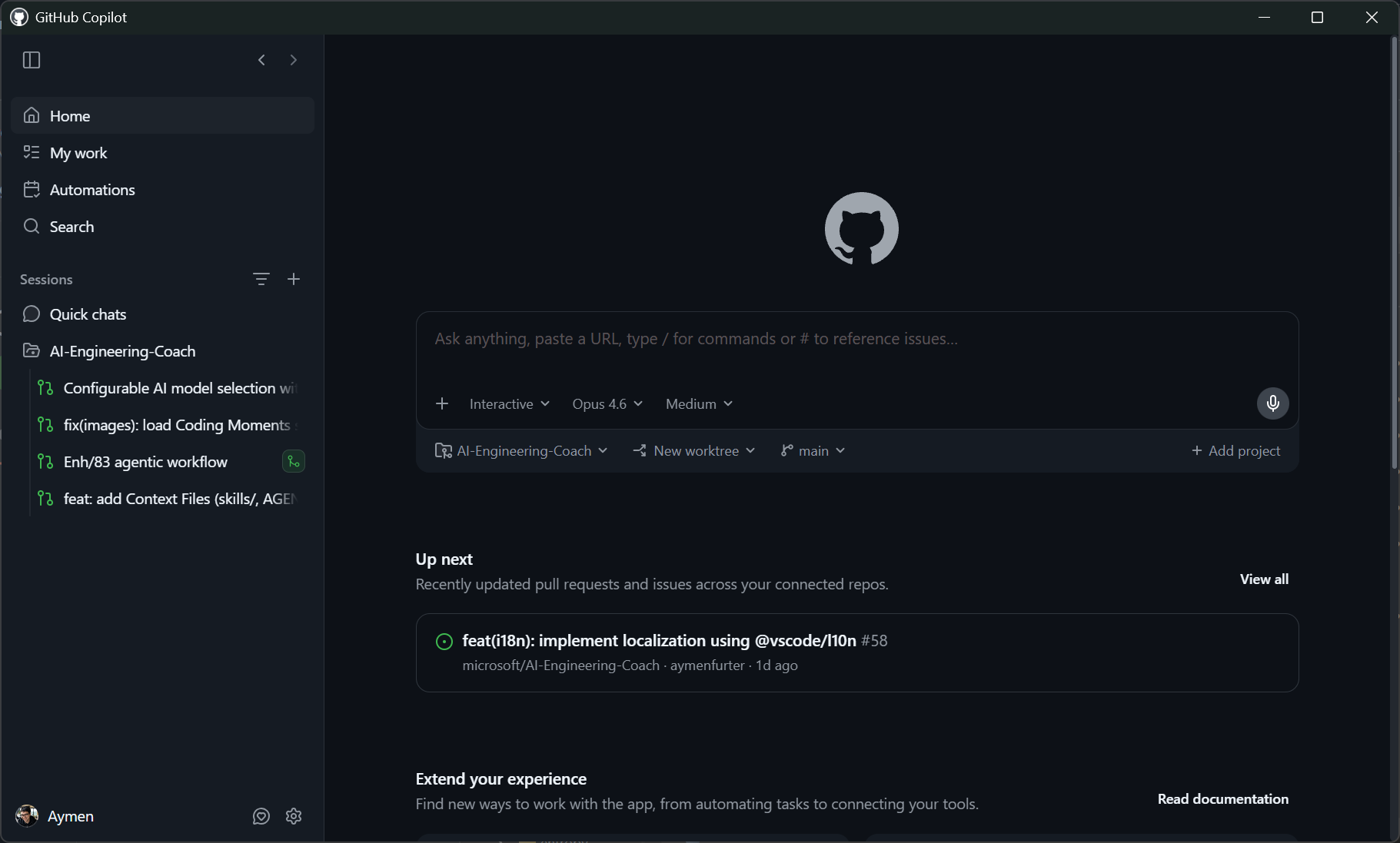
One window to rule them all
Working with several coding agents at once can be draining. With CLI-based agents you spend a lot of energy just switching between sessions and rebuilding your focus each time. The switching happens on two axes.
The horizontal one is switching between sessions. If you want several things moving at once, you need a way to jump between agent sessions without losing your place in any of them. I’ve been doing this with tmux: a grid of panes, each one running a Copilot CLI session, and me hopping between them. It works, but you’re the one holding the whole layout in your head.
The vertical one is everything you juggle inside a single task. Your editor. A terminal for the app. Another terminal for the agent. A browser with the live preview. GitHub.com for the PR itself. The Copilot app pulls both axes into one window. So I’m not just working in a different place. I work differently.
The app puts the work you’re supposed to do right in front of you, in a My Work area: issues assigned to me, review requests waiting on me.
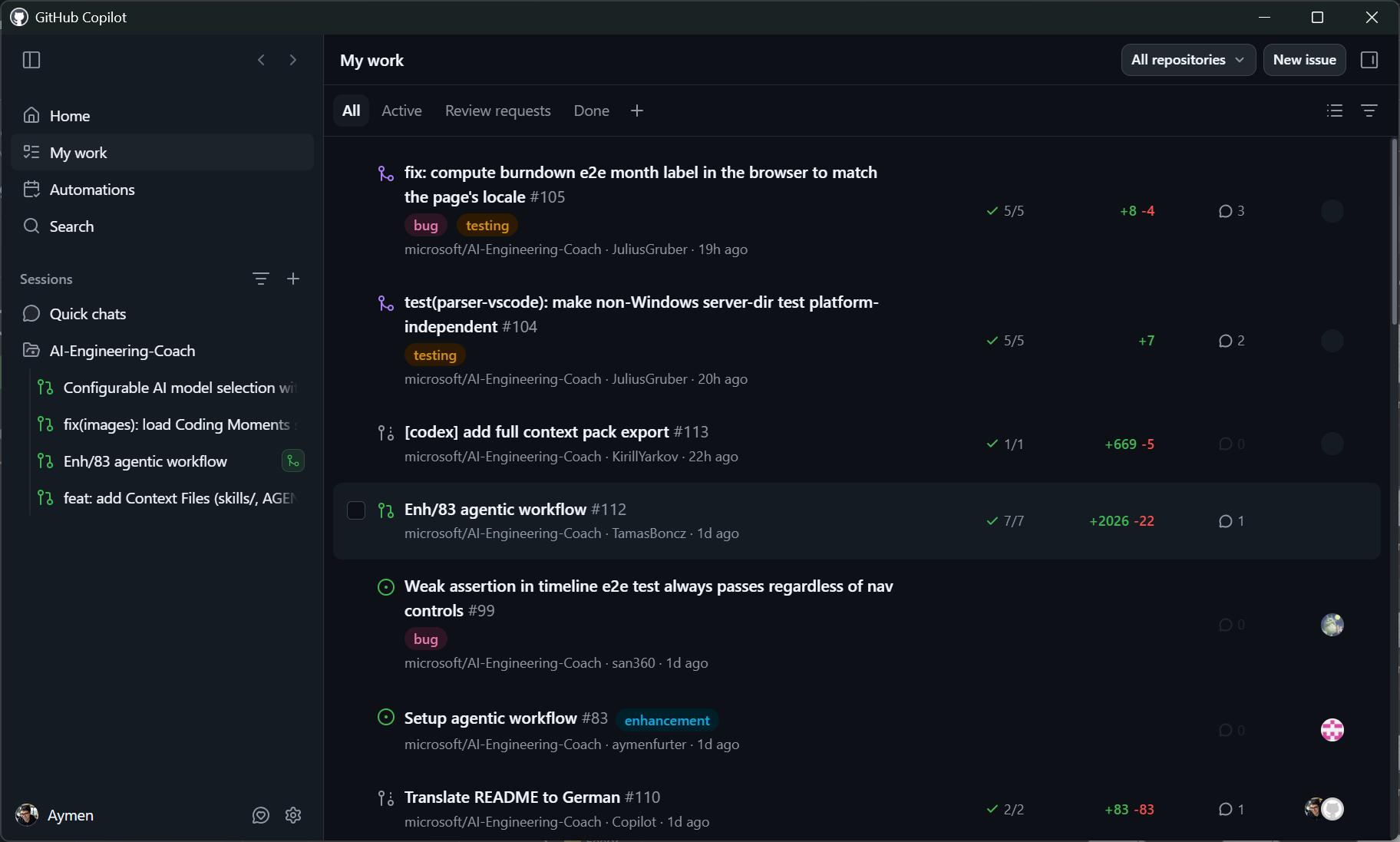
Starting from a PR today means pulling the branch, building, refreshing your checkout, and opening your editor against the right worktree, all before you can even ask what the PR is for. I’ve felt this one personally. I maintain an open-source AI engineering coach project that gets a steady stream of PRs, and just getting into a position to review a change eats a surprising amount of time.
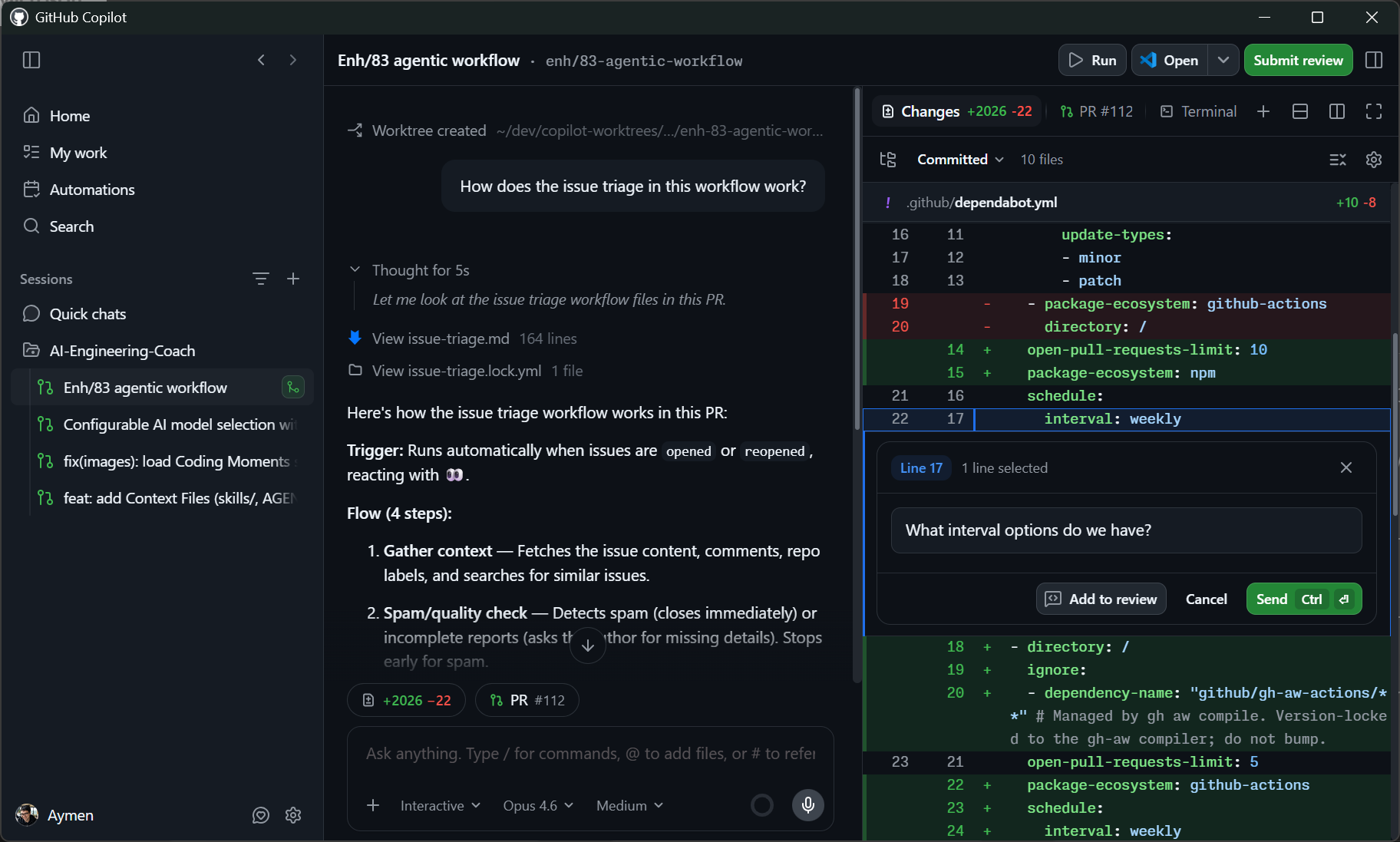
In the Copilot app that collapses into one action: create a session straight from a pull request, or an issue. It provisions the worktree, checks out the branch, and drops me into a conversation with the agent. From there I can ask what the change is for, whether the approach holds up, and where the risks are. This sits on the critical path of how we ship, so removing the friction here is what lets us ship more.
Skills, custom instructions, and MCP servers all behave the same as they do elsewhere, so nothing from my usual setup got left behind.
It helps that this is a native app built for working with agents from the start. IDEs are good these days. But they weren’t designed around agents originally, and you can feel it. I think of it as pre-agentic drag: features built for a world where a human typed every line, now bending to accommodate one that doesn’t.
The clearest tell of the difference: the file browser is a side panel, and the chat is the main work surface. That’s the inverse of a classic IDE, where the code sits at the center. It’s a small thing, but it tells you what the tool is actually optimized for. The work is the conversation with the agent.
Canvases: a two-way visual channel with your agent
The piece I’m most excited about is extensibility, through something called canvases.
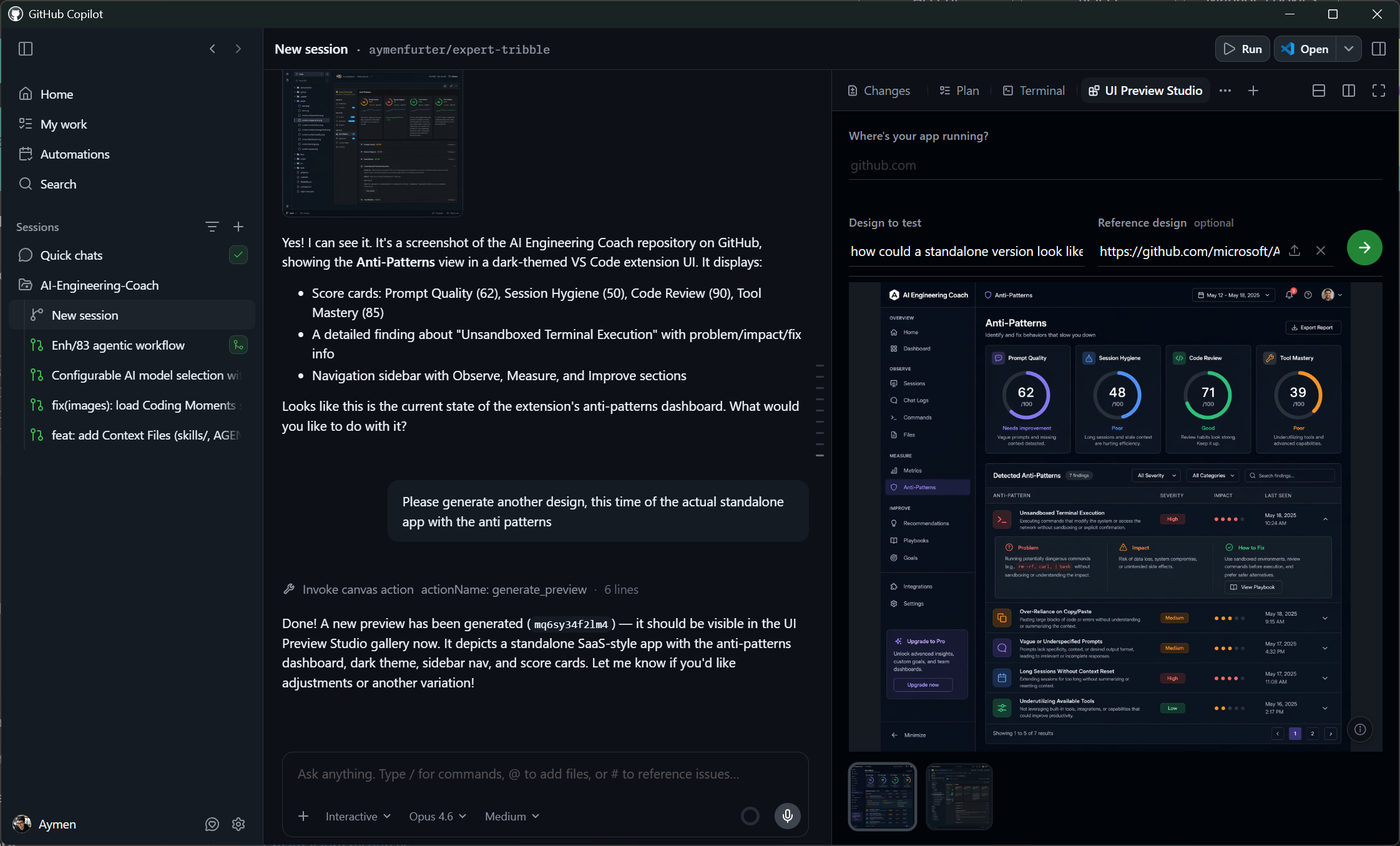
Under the hood a canvas is just a Node app, a single JavaScript file that starts a small server and renders in a window like a browser tab. It’s bidirectional: both you and the agent can drive it.
My own example: when I build apps I like to brainstorm visual directions early, try a few designs, and compare them before committing. So I built a canvas around the GPT-image-2 model. It takes a screenshot of the current preview and generates variations on the design. I can write the prompt myself in the UI, and the agent can drive the same canvas. The key part is that we both see the generated screenshot. I can point at one and say “implement it like this,” and the agent is looking at the exact same image. The agent can also feed a generated screenshot into its next step. It’s a concrete example of working with an agent in a closer, two-way loop.
The other thing that makes canvases useful is that they’re shareable. You can check a canvas into your repo, version it alongside your project, and pull it into another app later. Being able to store and reuse them is a big part of the appeal. The space is wide open: agents that triage and clean up issues, a live overview of your app’s state. Sometimes it just helps to give the agent another way to express itself.
One window also makes parallelism practical. I can keep several sessions running and switch between them with a single click. When I switch, everything tied to that session comes with it: the chat, the browser preview, the terminal, and the active PR associated with the session, with its diff and the comments I can leave or talk through with the agent. It all lands in focus at once, so I’m not chasing context across horizontal and vertical splits anymore.
Tooling that follows the bottleneck
When the bottleneck moves from writing code to reviewing and merging it, the tooling has to move with it. What the Copilot app does is take the friction out of the whole loop: you start from work that’s actually assigned to you, drop straight into an agent session from a PR, run several at once, and reach for a canvas when the built-in views aren’t enough.
I’ve been using it more and more, and there’s a lot I haven’t even touched yet, especially around automation. But that’s a topic for another post.
Where to get it
If any of this resonates, the best way to understand it is to run a few sessions yourself and feel where the friction used to be. You can find the app, along with the rest of GitHub’s agentic tooling, on the GitHub Copilot app page.
